

You can easily set up your default pricing in the Online software! To begin:
-Sign in as ADMIN, click the name in the top right corner (Administrator in this instance) and click Settings.
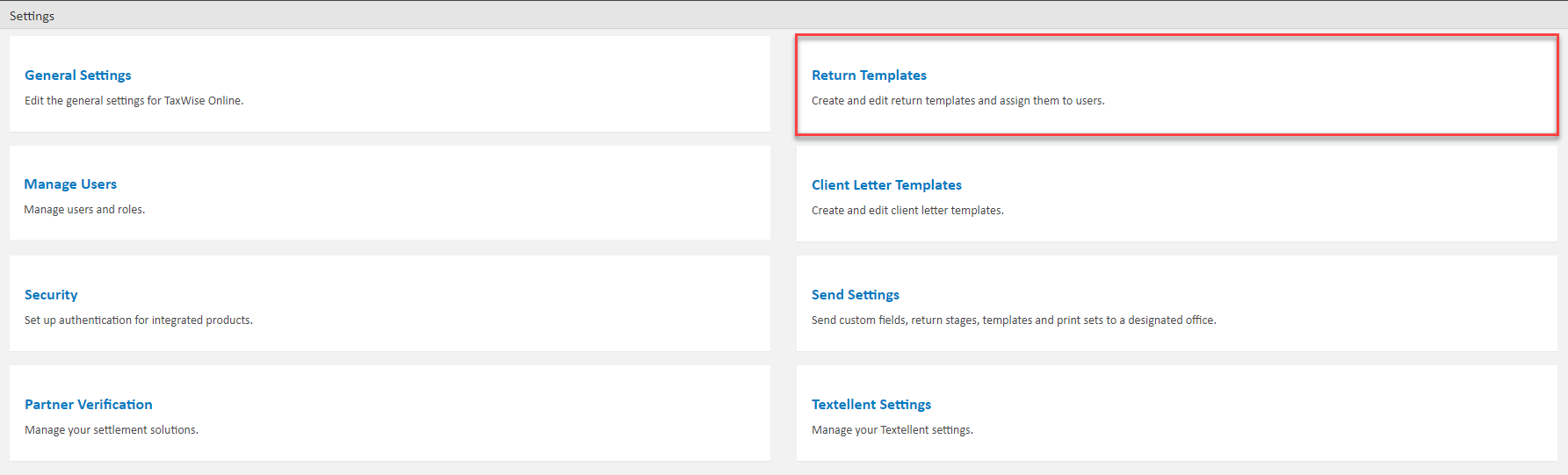
-Find Return Templates on the right and click it, then click New Template on the right
-Next, you will be asked to name and describe your new template. Then back to the Template screen
-Click on the pencil icon next to the template you've just created to edit it
-In the template return, click on the + button on the left to open the Search window for forms. Search for PRICE and should be able to add the PRICE form to the return
-Enter any price info here and click SAVE & CLOSE.
- Pricing is done by form, so if you have 3 W2s and you have $5.00 in the line item, it will charge the client $15.00.
Comments
Article is closed for comments.