

To delete a return in the Online software, you must first sign in as the ADMIN user or a user with the proper permissions for deleting a return. Next, go to your TAX RETURNS screen and find the VIEW MORE ACTIONS button.
Click that and then select DELETE RETURNS.
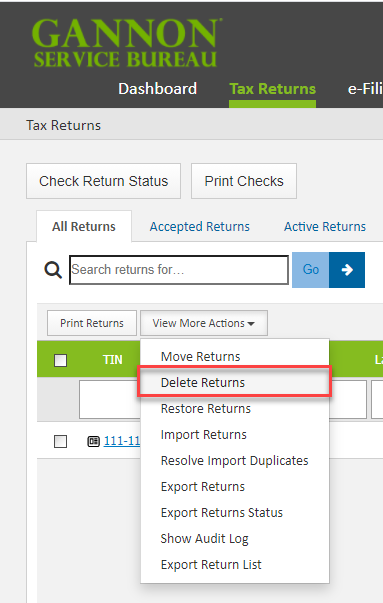
After a return has been deleted, it can be restored by selecting the RESTORE RETURNS option from the same dropdown menu. Or you can start a new return using the same SSN as the deleted return.
Comments
Article is closed for comments.